
How to buy a soundbar?
Soundbars are becoming more and more popular. How to buy the right one?
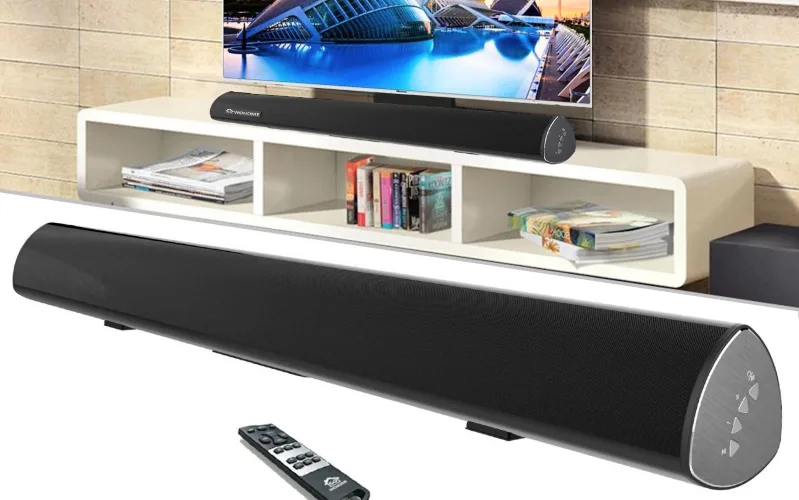
Since what we get "in the package" is not enough for good sound from television, video games or computers, many people come up with some kind of additional sound system. Some people connect a TV or computer to a home music tower, while others think of a surround sound system of the N.1 type, where N means the number of speakers distributed around the room (2, 3, 5, 7...), and the unit is the central "bass" or "subwoofer" device. The last battens are also becoming more and more popular with sound bars or with the foreign language "soundbar". It is a fairly narrow oblong box that is usually installed under or above the TV, and several speakers are hidden inside it, and sometimes an external subwoofer component is added, as we know from the previously mentioned N.1. The advantage of the soundbar is that it does not take up much space to produce quality surround sound, and slightly better ones are equipped with a whole range of useful accessories in the form of wireless connectivity via Wi-Fi or Bluetooth, voice control, built-in Chromecast and/or AirPlay, even Android TV can be found, and the best ones even more.
And how to choose the right one? Of course, it all depends on how much you are willing to pay for the device. If you discount the cheap versions of questionable quality from China, a useful soundbar can be had somewhere from €120, a decent one from €300 and up, and the best ones cost even €1500 and (much) more. And how do they differ?
Functionality. On price, in addition to quality. of course, functionality is the most influential. The cheapest models will definitely offer better sound than what you hear from the TV speakers, but that's pretty much it. A little better, they will also offer the previously mentioned wireless connectivity, voice control, Chromecast and/or AirPlay, Android TV and the like, which of course gives the matter additional utility, as it is possible to stream an image from a computer, phone or tablet to the TV and use all the accessories offered by Android TV. But if you're an audiophile and only the best is good for you, you'll pay a bit more for the bar, and you'll get Dolby Atmos, DTS:X, Spotify Connect, Tidal Connect and more.
Connections. These are actually just as important as functionality, and sometimes even more so. Cheaper strip models usually offer a limited number of connections. On them we find an optical connector or an HDMI connector, or if we're lucky, both. If you also want to connect a game console, set-top box, etc. to the soundbar, you will have to choose a more expensive model that has HDMI output and several input ports. Some bars also have a headphone jack, which can come in handy, and some USB-A or USB-C for connecting external playback devices can also be very welcome.
Wireless connectivity. Most soundbars support wireless connections in the form of Bluetooth or Wi-Fi, and some also support both. This kind of connectivity is useful for listening to the music we have on our phone, streaming images and audio via Chromacast, AirPlay, Spotify and more. Cheaper models will support Bluetooth, while slightly more expensive models will also support Wi-Fi, which is definitely more useful when using multiple devices.
Size. Soundbars can be a few tens of centimeters long, or they can be quite large "travers" that require a lot of rearrangement of the living room. Therefore, before buying, see the thing live or at least look for the size information, so that there is no scratching your head.
When choosing a sound bar, it is of course necessary to start from the needs. It is necessary to take into account the size and position of the television, the space, and then, of course, consider the way of use - what will be connected to it (console, STB, telephone...), what kind of sound we want and, of course, what accessories it should have. Once this is clarified, the decision will be much easier.
AI translated